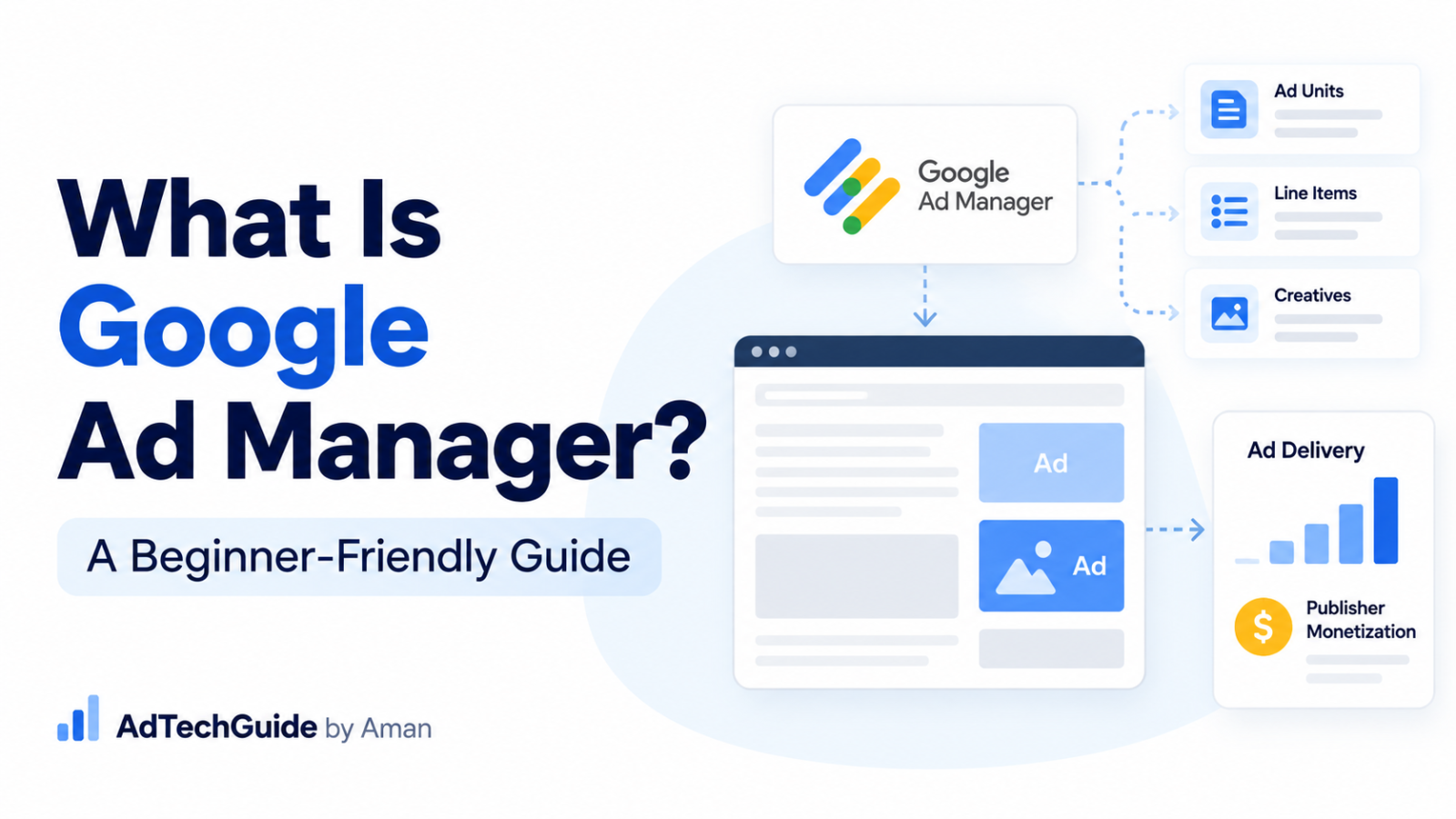
If you are new to AdTech, one of the first platforms you will probably hear about is Google Ad Manager.
At first, Google Ad Manager can look complicated because there are many terms inside the platform:
Ad units.
Orders.
Line items.
Creatives.
Ad Exchange.
Targeting.
Impressions.
Ad requests.
But before learning all these terms, it is important to understand one basic thing:
What exactly is Google Ad Manager, and what does it do?
In this article, I will explain Google Ad Manager in simple words for someone who is just starting in AdTech.
What is Google Ad Manager?
Google Ad Manager, commonly called GAM, is an ad server and ad management platform provided by Google.
Publishers use Google Ad Manager to manage and serve advertisements on their websites and apps.
For example, imagine you own a news website.
Your website may have:
- A banner at the top of the homepage
- An ad inside an article
- A sidebar ad
- A video ad
- An ad at the bottom of the page
These advertising spaces are part of your ad inventory.
Google Ad Manager helps you manage this inventory and decide which advertisement should be served when a user visits your website.
Google describes ad units as the inventory where publishers want ads to appear, while orders and line items are used to manage advertising campaigns.
How should a beginner understand Google Ad Manager?
For beginners, I think it is easiest to understand Google Ad Manager in three practical parts.
These are not Google’s official “three layers.” It is simply an easy way to understand what the platform does.
1. Ad serving
Google Ad Manager works as an ad server.
When someone visits your website and an ad slot needs an advertisement, an ad request can be sent to Google Ad Manager.
Ad Manager checks the eligible ads and demand and determines what should serve.
2. Campaign management
Publishers can use Google Ad Manager to manage direct advertising campaigns.
For example, if an advertiser directly buys 1 million impressions from your website, you can manage that campaign inside GAM using things like:
Order → Line Item → Creative
3. Programmatic monetization
Publishers can also monetize inventory using programmatic demand.
One important source of programmatic demand inside the Google ecosystem is Google Ad Exchange, commonly called AdX.
However, it is important to understand:
Google Ad Manager and Google Ad Exchange are not the same thing.
Google Ad Manager is the ad management and ad-serving platform.
Google Ad Exchange is a source of programmatic demand that can work with Google Ad Manager.
Google Ad Manager can also work with other programmatic channels, so Ad Exchange should not be understood as the only possible source of programmatic demand. Google, for example, documents demand channels including Google demand, Authorized Buyers and Open Bidding.
We will discuss this in more detail later in the article.
Who uses Google Ad Manager?
Google Ad Manager is mainly used by publishers and businesses managing publisher ad inventory.
A publisher could be:
- A news website
- A sports website
- A blog
- An entertainment website
- An online magazine
- A mobile app
- A video publisher
Companies managing monetization for other publishers may also work with Google Ad Manager.
Their requirements may be different, but the basic purpose remains the same:
Manage advertising inventory and decide how that inventory should be monetized.
What is an ad server?
Before going deeper into Google Ad Manager, you should understand the meaning of ad server.
An ad server is a system that helps manage and deliver advertisements.
Imagine a user opens a webpage.
There is an ad position on that page.
The website needs to know:
Which advertisement should appear here?
That decision may depend on many things.
For example:
- Which campaigns are active?
- Which campaigns are targeting this inventory?
- Does the creative size match?
- Is the user in the targeted location?
- Is the campaign still within its start and end date?
- Is there programmatic demand available?
- Which eligible ad should win?
Google Ad Manager helps handle this ad-serving process.
Google’s documentation describes the process as starting with an ad request, after which Ad Manager evaluates eligible demand and determines which ad or bid should serve.
So when somebody asks me what Google Ad Manager is, the first thing I would remember is:
Google Ad Manager is an ad server.
Everything else becomes easier to understand after that.
Understanding ad inventory
Now let’s understand another important term:
Inventory.
Inventory simply means the advertising opportunities available on your website or app.
Suppose your article page has three advertising positions:
- One ad above the article
- One ad in the middle
- One ad below the article
These ad spaces are part of your inventory.
Inside Google Ad Manager, publishers commonly organize this inventory using ad units.
What is an ad unit?
An ad unit represents a place where an advertisement can appear.
For example, you might have an ad unit called:
Homepage_Top
Another one could be:
Article_Mid_300x250
Another could be:
Article_Bottom
The naming structure will depend on how the publisher organizes its inventory.
The easiest way to remember it is:
Ad Unit = Where the ad can show
Google’s own documentation defines ad units as inventory on a website or app where a publisher wants ads to appear.
Direct campaigns in Google Ad Manager
Now imagine an advertiser approaches the publisher directly.
For example, a sports brand wants to run an advertising campaign on your sports website.
They want:
- 500,000 impressions
- From October 1 to October 10
- India traffic only
- Article pages only
- A 300×250 banner
The Ad Ops team can create this campaign inside Google Ad Manager.
For beginners, you should understand three important things:
Order → Line Item → Creative
Let’s understand them one by one.
What is an Order?
An Order is the main container for a campaign.
Suppose Nike is advertising on your website.
You might create an order called:
Nike October Campaign
The order contains high-level campaign information such as the advertiser and the person responsible for managing the campaign.
Google describes an order as containing the high-level details of an advertising campaign, with one or more line items created inside it.
The easiest way to remember it:
Order = Main campaign container
What is a Line Item?
Inside the order, you create a Line Item.
The line item contains the important delivery details.
For example:
- Start date
- End date
- Impression goal
- Price
- Targeted inventory
- Geography
- Creative size
- Other targeting conditions
Google’s documentation says line items contain details such as quantity, pricing, campaign start and end times, targeting and the creatives that should serve.
So if the order is:
Nike October Campaign
the line item might say:
Deliver 500,000 impressions between October 1 and October 10 to users in India on article pages.
Simple way to remember it:
Line Item = How the campaign should run
What is a Creative?
The creative is the advertisement that the user actually sees.
It could be something like:
- An image banner
- HTML5 creative
- Video creative
- Native creative
- Third-party creative
For example, Nike may provide you with a 300×250 banner.
That banner becomes the creative attached to the appropriate line item.
So:
Creative = The actual advertisement
Google’s campaign workflow requires creatives to be added to line items before the campaign can serve as intended.
Putting Ad Unit, Order, Line Item and Creative together
Let’s connect everything.
Imagine you run a sports website.
Ad Unit
Article_Mid_300x250
This represents an advertising space inside your articles.
Order
Nike October Campaign
This represents the main advertiser campaign.
Line Item
The line item says:
- Run October 1–10
- Target India
- Target article inventory
- Deliver 500,000 impressions
- Expect a 300×250 creative
Creative
Nike’s actual 300×250 banner.
Now you can see how the basic GAM structure works:
Ad Unit = Where
Order = Campaign
Line Item = How it should deliver
Creative = What the user sees
Once you understand these four things, Google Ad Manager starts becoming much easier.
What happens when a user opens the website?
Now let’s look at the ad-serving side.
A user opens an article.
The page contains an ad slot.
That slot generates an ad request.
The request reaches Google Ad Manager.
Ad Manager then checks the demand that is eligible for that particular request.
For example, it may consider things such as:
- Targeted inventory
- Campaign status
- Campaign dates
- Targeting
- Creative size
- Delivery requirements
- Eligible programmatic demand
Ad Manager then determines which eligible advertisement should serve.
A simplified flow is:
User opens the webpage
↓
Ad slot sends an ad request
↓
Google Ad Manager receives the request
↓
Eligible campaigns and demand are evaluated
↓
An ad is selected
↓
The creative is returned
↓
The user sees the advertisement
The actual ad-selection process can become much more complex, but beginners do not need to understand every auction and priority rule immediately.
Start with the basic flow first.
Google Ad Manager and Google Ad Exchange
Now we come to an important part.
You will often hear Google Ad Manager and Google Ad Exchange together.
This can confuse beginners.
They are related, but they are not the same thing.
Google Ad Manager
Google Ad Manager is the platform publishers use to manage inventory, campaigns and ad serving.
Google Ad Exchange
Google Ad Exchange, or AdX, provides access to programmatic demand.
Through Ad Exchange, eligible inventory can be made available to buyers that bid programmatically for advertising opportunities.
Google documents Ad Exchange inventory as being available to Authorized Buyers and auction demand when configured appropriately.
So the simple difference is:
Google Ad Manager = Ad server / management platform
Google Ad Exchange = Programmatic demand source
This distinction is very important.
Direct demand vs programmatic demand
Let’s make this even easier.
Imagine you have an ad impression available.
There could be different types of demand interested in that impression.
One example is a direct campaign.
Maybe Nike purchased advertising directly from the publisher.
Another possibility is programmatic demand.
Instead of manually selling that particular impression to one advertiser, eligible buyers can compete for it through programmatic systems.
Google Ad Exchange is one of the programmatic demand sources that can participate in the publisher’s monetization setup.
Google Ad Manager can help manage the relationship between reservation campaigns and eligible programmatic demand. Google documents this competition through mechanisms such as dynamic allocation.
You do not need to understand dynamic allocation in detail yet.
We can cover that separately.
Does every publisher have their own Ad Exchange account?
Not necessarily.
A publisher’s setup can vary.
Some eligible publishers may have their own Ad Exchange access associated with their Google Ad Manager setup.
Other publishers may work with another publisher or monetization partner.
Google provides a structure called Multiple Customer Management, or MCM, for approved parent-child relationships where one publisher can help manage another publisher’s inventory or account.
Depending on the MCM setup, a child publisher may use its own Ad Exchange account or the parent’s Ad Exchange account. Google’s current MCM documentation describes multiple configurations for exactly these cases.
For a beginner, you do not need to learn every MCM configuration now.
Just remember:
A publisher can have its own AdX setup, or in some situations work with a monetization partner through Google’s approved MCM structure.
A complete simple example
Let’s combine everything.
Imagine you run:
SportsExample.com
You have an ad position in the middle of every article.
Inside Google Ad Manager, you create an ad unit:
Article_Mid_300x250
Now Nike contacts you directly and buys advertising.
You create:
Order: Nike October Campaign
Inside it:
Line Item: India Article Campaign
You configure the line item to:
- Run for 10 days
- Target India
- Target your article ad unit
- Deliver 500,000 impressions
- Use a 300×250 creative
You attach Nike’s creative.
Now imagine a user opens one of your articles.
The ad slot makes an ad request.
Google Ad Manager checks which ads are eligible.
Depending on your setup, there may be:
- Direct campaigns
- Google Ad Exchange demand
- Other eligible programmatic demand
Ad Manager then follows its ad-selection rules to determine what should serve.
The winning advertisement is returned to the webpage.
That is the basic idea behind Google Ad Manager.
Why do publishers use Google Ad Manager?
Publishers can use GAM to manage many parts of their advertising business from one platform.
This can include:
- Ad inventory
- Direct campaigns
- Orders
- Line items
- Creatives
- Targeting
- Campaign delivery
- Reporting
- Ad Exchange
- Programmatic demand
- Troubleshooting
For a small website, some of these features may not be required.
For a large publisher managing many advertisers, websites, apps, campaigns and demand sources, the setup can become much more complex.
That is why understanding the basics is important before moving into advanced topics.
Google Ad Manager is more than just creating campaigns
When someone first learns GAM, they often focus on learning where different options are located inside the interface.
That is useful.
But eventually, the more important skill becomes understanding:
Why did something happen?
For example:
Why is my line item not delivering?
Why is the creative not showing?
Why do I have unfilled impressions?
Why is my fill rate low?
Why is the campaign under-delivering?
Why did one campaign win instead of another?
Why are my reporting numbers different?
Why is Ad Exchange not competing on some impressions?
These questions move you from simply knowing the interface to actually understanding ad serving.
And that is where AdTech starts becoming more interesting.
What should a beginner learn next?
If you are starting with Google Ad Manager, I would not recommend trying to learn everything together.
Start with this order:
1. Understand ad inventory
Learn what an ad unit is.
2. Understand direct campaigns
Learn:
Order → Line Item → Creative
3. Understand an ad request
Learn what happens when a page needs an advertisement.
4. Understand ad serving
Learn how Google Ad Manager finds eligible demand.
5. Understand direct and programmatic demand
Know the basic difference between a directly booked campaign and programmatic monetization.
6. Understand Google Ad Exchange
Learn where AdX fits into the GAM ecosystem.
After these concepts are clear, you can move into:
- Line item types
- Priorities
- Targeting
- Forecasting
- Fill rate
- Unfilled impressions
- Ad Exchange
- Dynamic allocation
- Reporting
- Pricing rules
- Programmatic deals
- MCM
- Troubleshooting
One important thing to remember
If you remember only one thing from this article, remember this:
Google Ad Manager is the ad server and ad management platform.
Do not think:
Google Ad Manager = Google Ad Exchange
Instead, think:
Google Ad Manager manages and serves the inventory.
Google Ad Exchange can provide programmatic demand for that inventory.
That simple distinction will help you understand many advanced AdTech topics later.
Final thoughts
Google Ad Manager can look complicated when you see it for the first time.
But the basic idea is simple.
A publisher has advertising inventory.
The publisher needs a system to manage that inventory.
Advertisers and programmatic buyers provide demand.
When an ad request happens, Google Ad Manager helps determine which eligible advertisement should serve.
For beginners, remember these basic concepts:
Ad Unit = Where the ad can appear
Order = Main campaign container
Line Item = How the campaign should deliver
Creative = The advertisement
Google Ad Manager = Ad server and ad management platform
Google Ad Exchange = One source of programmatic demand
Once these concepts are clear, learning the rest of Google Ad Manager becomes much easier.
In the next article, we can go deeper into one of the most important concepts:
How does an ad request work in Google Ad Manager?
That will help us understand what actually happens between the moment a user opens a webpage and the moment an advertisement appears.