If you run a website and want to make money from ads, you’ve almost certainly come across both Google AdSense and Google Ad Manager. They sound similar. They’re both made by Google. They both involve ads.
But they are very different products — built for different types of publishers, at different stages of growth.
In this guide, I’ll break down exactly what each product does, who it’s designed for, and — most importantly — which one you actually need.
The Short Answer
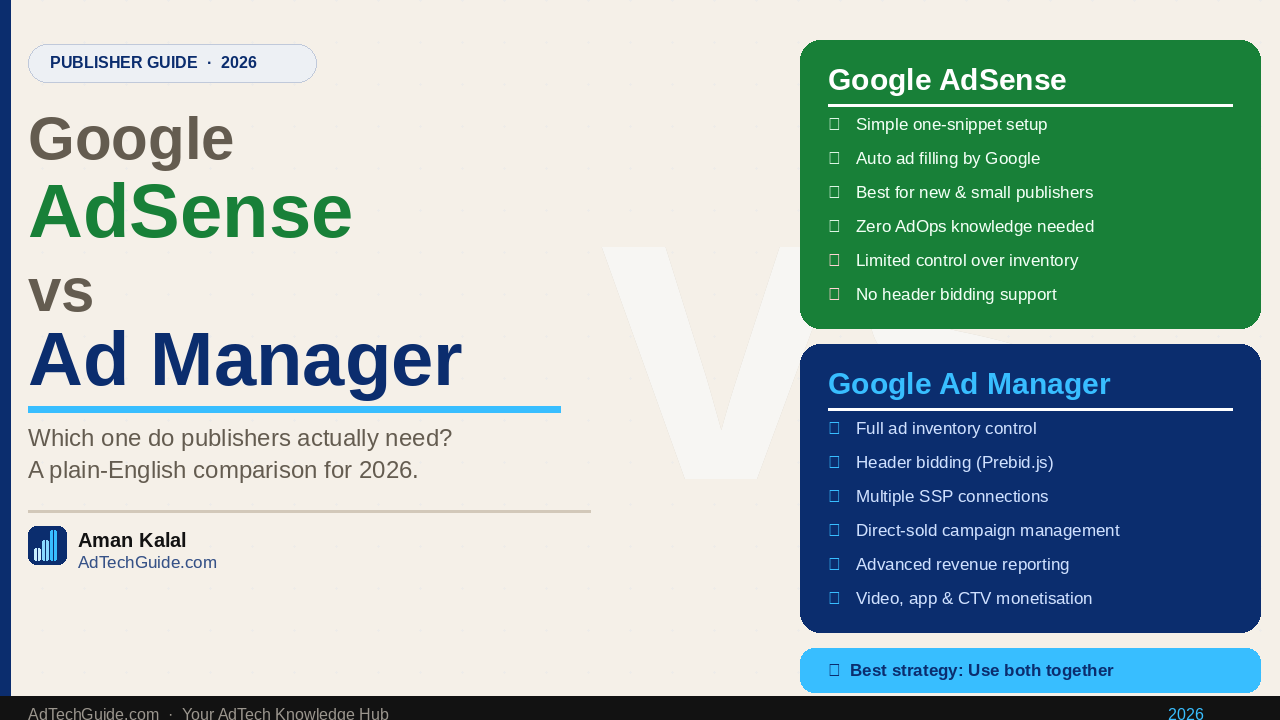
- Google AdSense is for small to mid-size publishers who want a simple, hands-off way to show ads and earn money.
- Google Ad Manager (GAM) is a professional ad server for publishers who want full control over how their ad inventory is managed, sold, and optimised.
Most publishers start with AdSense. Many eventually graduate to — or add — Google Ad Manager.
What Is Google AdSense?
Google AdSense is Google’s self-serve advertising program for publishers. You sign up, paste a code snippet on your website, and Google automatically shows relevant ads to your visitors. When someone clicks or views those ads, you earn money.
AdSense handles everything for you:
- Finding advertisers to fill your ad slots
- Deciding which ad to show and when
- Collecting payment from advertisers
- Paying you every month
It’s designed to be as simple as possible. You don’t need to understand programmatic advertising, ad servers, or yield management. You just put the code on your site and AdSense does the rest.
Who Is AdSense For?
AdSense is ideal for:
- Bloggers and content creators just starting out
- Small to mid-size websites (under ~1 million monthly page views)
- Publishers who don’t have a dedicated AdOps team
- Anyone who wants passive, low-maintenance ad revenue
How Much Does AdSense Pay?
AdSense pays on a revenue share model — Google keeps roughly 32% of what advertisers pay and passes 68% to you. Your actual earnings depend on your niche, audience location, and traffic volume. High-value niches like finance, legal, and technology typically earn significantly more per click than entertainment or general lifestyle content.
What Is Google Ad Manager?
Google Ad Manager (GAM) is a professional ad server and programmatic advertising platform. It’s the tool that publishers use to manage, traffic, and optimise all of their ad inventory — across multiple demand sources, ad formats, and channels.
Think of GAM as the control centre for your entire ad operation. Instead of relying on one source of demand (Google’s network), GAM lets you:
- Connect to multiple SSPs (Supply-Side Platforms) and ad exchanges simultaneously
- Run header bidding to maximise competition for every impression
- Manage direct-sold campaigns alongside programmatic demand
- Set floor prices and inventory rules
- Generate detailed reports on revenue, fill rate, viewability, and more
GAM comes in two versions:
- Google Ad Manager (free) — for publishers up to a certain impression threshold (typically 90–150 million monthly impressions depending on your region)
- Google Ad Manager 360 — the enterprise version with advanced features, dedicated support, and no impression caps, available by contract
Who Is Google Ad Manager For?
GAM is designed for:
- Mid to large publishers with significant monthly traffic
- Publishers with a dedicated AdOps or monetisation team
- Anyone running direct-sold advertising campaigns alongside programmatic
- Publishers who want to maximise revenue through header bidding and multiple demand sources
- OTT and CTV publishers managing video ad inventory
Google AdSense vs Google Ad Manager: Side-by-Side Comparison
| Google AdSense | Google Ad Manager | |
|---|---|---|
| What it is | Ad network / program | Ad server + platform |
| Best for | Small/beginner publishers | Mid-large publishers |
| Setup complexity | Very easy (paste one code) | Moderate to complex |
| Control | Minimal | Full control |
| Demand sources | Google only | Multiple SSPs + direct |
| Header bidding | Not supported | Fully supported |
| Direct campaigns | Not supported | Fully supported |
| Floor pricing | Not available | Available |
| Reporting | Basic | Advanced |
| Revenue potential | Lower | Higher (at scale) |
| Cost | Free | Free (GAM) / Paid (GAM 360) |
| Requires AdOps knowledge | No | Yes |
Can You Use Both AdSense and Google Ad Manager Together?
Yes — and many publishers do.
Google Ad Manager can actually use AdSense as one of its demand sources. This means you can have GAM manage all your ad inventory while still tapping into Google’s AdSense demand pool. It’s called AdSense for Content within GAM, and it ensures you always have a fallback fill source even when programmatic demand is low.
This combination is common for growing publishers who have moved to GAM for more control but still want AdSense filling unsold inventory.
When Should You Switch from AdSense to Google Ad Manager?
Here are the clearest signals that it’s time to move to — or add — Google Ad Manager:
1. You’re getting serious traffic
Once you’re consistently hitting 1–5 million monthly page views, you’re leaving significant revenue on the table by relying on AdSense alone. GAM lets you bring in competing SSPs that will bid against Google’s demand, driving up your CPMs.
2. You want to run direct-sold campaigns
If an advertiser approaches you directly and wants to run a campaign on your site, you can’t manage that through AdSense. GAM lets you traffic direct campaigns and control exactly when and where they run.
3. You want to implement header bidding
Header bidding is one of the most impactful revenue-boosting strategies for publishers. It requires an ad server like GAM to function properly. AdSense doesn’t support it.
4. You need advanced reporting
AdSense gives you basic revenue reports. GAM gives you deep, granular data on fill rate, viewability, CPM by placement, inventory forecasting, and more — data you need to make smart monetisation decisions.
5. You’re managing multiple ad formats or channels
If you’re running display, video, native, or app inventory — especially across OTT or CTV — GAM is built to handle all of it in one place. AdSense is display-only.
Step-by-Step: How to Get Started with Each
Getting Started with Google AdSense
- Go to google.com/adsense and apply
- Add your website and verify ownership
- Paste the AdSense code snippet in your site’s
<head>tag - Wait for Google to review and approve your site (usually 1–2 weeks)
- Once approved, ads start showing automatically
Getting Started with Google Ad Manager
- Go to admanager.google.com and sign up (you’ll need a Google account)
- Set up your network and configure your ad units
- Create inventory (ad units mapped to your site’s ad slots)
- Set up line items for AdSense or programmatic demand
- Implement the GAM ad tags on your site
- Connect SSP partners for additional demand
- Configure header bidding (via Prebid.js or a managed wrapper)
GAM has a steeper learning curve, but the revenue upside is worth it for publishers at scale.
Common Mistakes Publishers Make
Sticking with AdSense too long. Many publishers wait until they’re well past the point where GAM would have made a meaningful difference to their revenue. If you’re getting consistent traffic and thinking about monetisation seriously, explore GAM sooner rather than later.
Jumping to GAM too early. GAM requires time and knowledge to set up and manage properly. If you’re just starting out with a few thousand monthly visitors, AdSense will serve you better until you build traffic.
Not using AdSense within GAM. Once you’re on GAM, make sure you’ve connected AdSense as a demand source. It’s free fill you’d otherwise be losing.
Ignoring floor prices. One of GAM’s biggest advantages is the ability to set price floors — minimum CPMs you’ll accept for your inventory. Publishers who don’t use floor prices often undervalue their impressions.
AdSense vs GAM: Which Should You Choose?
Here’s a simple decision framework:
Choose AdSense if:
- You’re a new or small publisher
- You want zero complexity and passive income
- You don’t have AdOps resources
- Your monthly traffic is under 1 million page views
Choose Google Ad Manager if:
- You’re a growing or established publisher
- You want to maximise revenue through competition between demand sources
- You’re running or planning to run direct-sold campaigns
- You need header bidding
- You have video, app, or CTV inventory to monetise
Use both if:
- You’ve moved to GAM but want Google’s demand as a fallback fill source
Final Thoughts
Google AdSense and Google Ad Manager are not competitors — they’re tools designed for different stages of a publisher’s journey. AdSense gets you started. GAM takes you further.
The right choice depends entirely on where you are today: your traffic, your team, and how seriously you want to take your ad monetisation strategy.
If you’re already on AdSense and wondering whether GAM is right for you — the answer is almost certainly yes, as long as you have the traffic to justify the setup investment.
Related articles: